Transcription that never phones home. Ever.
DictoVicto records your mic or your meetings and turns them into speaker-labeled, editable transcripts — with every AI model running on your own Windows PC. No cloud. No accounts. No telemetry.
Windows 10/11 · runs on any CPU · NVIDIA GPU acceleration detected automatically
Features
A full transcription studio, not just a recorder
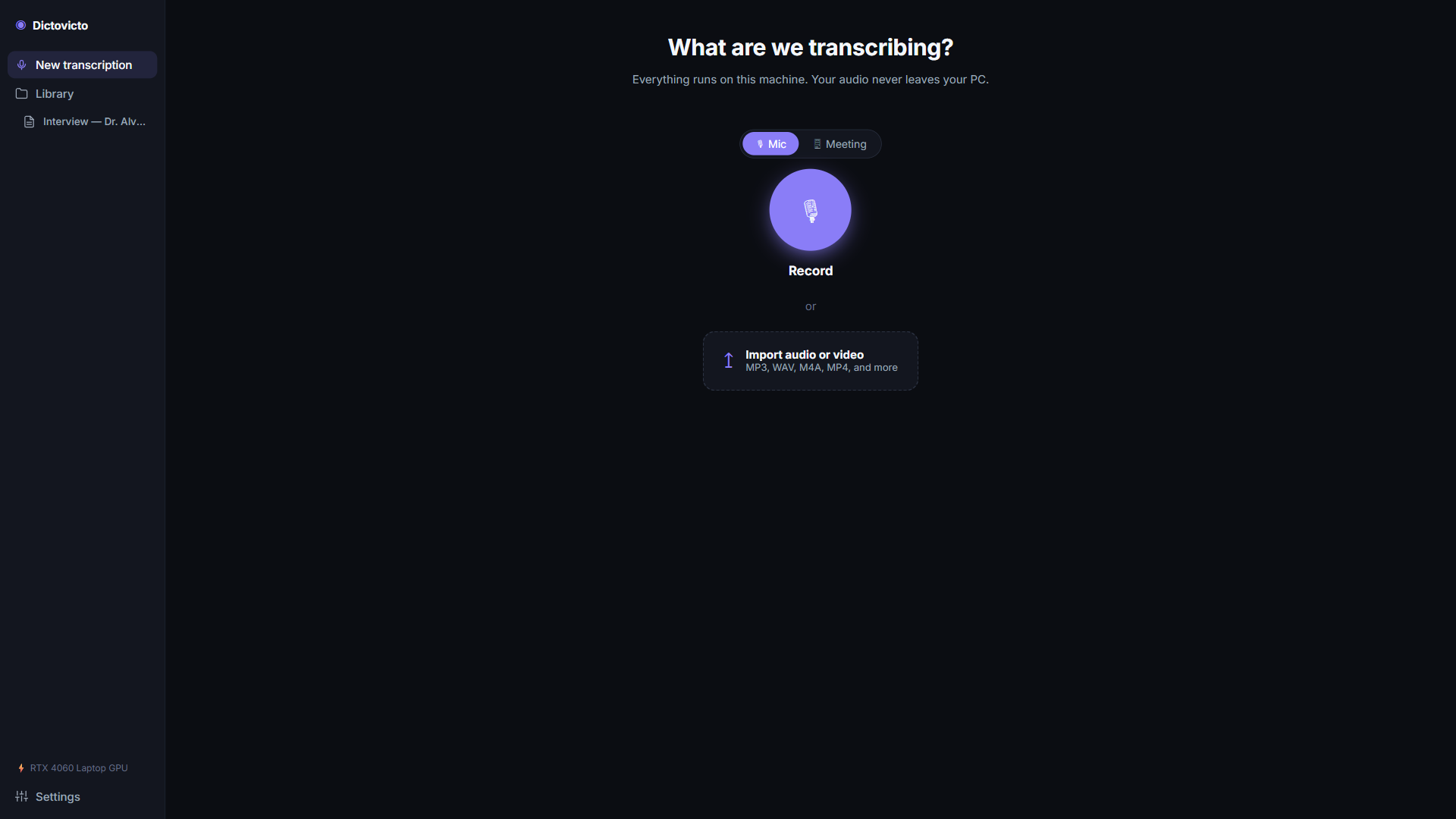
Everything between "hit record" and "paste the transcript where it needs to go" happens in one app.
Mic & meeting capture
Record a voice note from your microphone, or capture both sides of an online meeting — your voice and theirs — in one stereo take.
Who-said-what, automatically
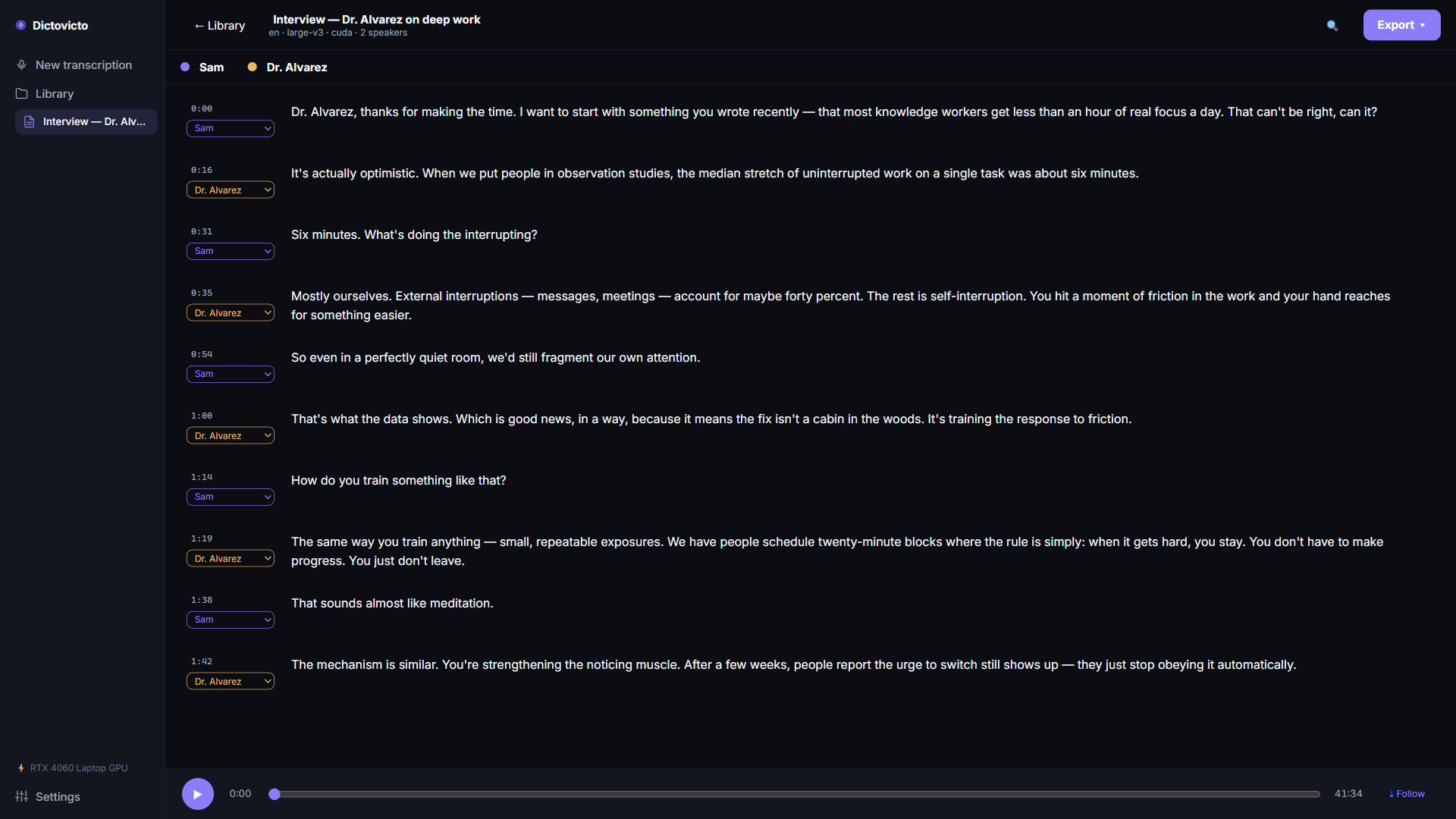
Speaker diarization separates and labels voices. Rename "Speaker 1" to an actual human once, and the whole transcript follows.
An editor that keeps up
Click any word to jump the audio there. Fix wording, reassign speakers, and let autosave worry about the rest.
Uses the hardware you have
An NVIDIA GPU makes transcription fly, but isn't required — DictoVicto probes your machine and picks the best model and device for it.
Models included, forever
Every Whisper and diarization model ships inside the app. First launch to first transcript with the Wi-Fi off — it genuinely doesn't care.
A library, not a folder
Transcripts live in a searchable library with previews, durations, and speaker counts. Your recordings stay attached to their text.
Exports
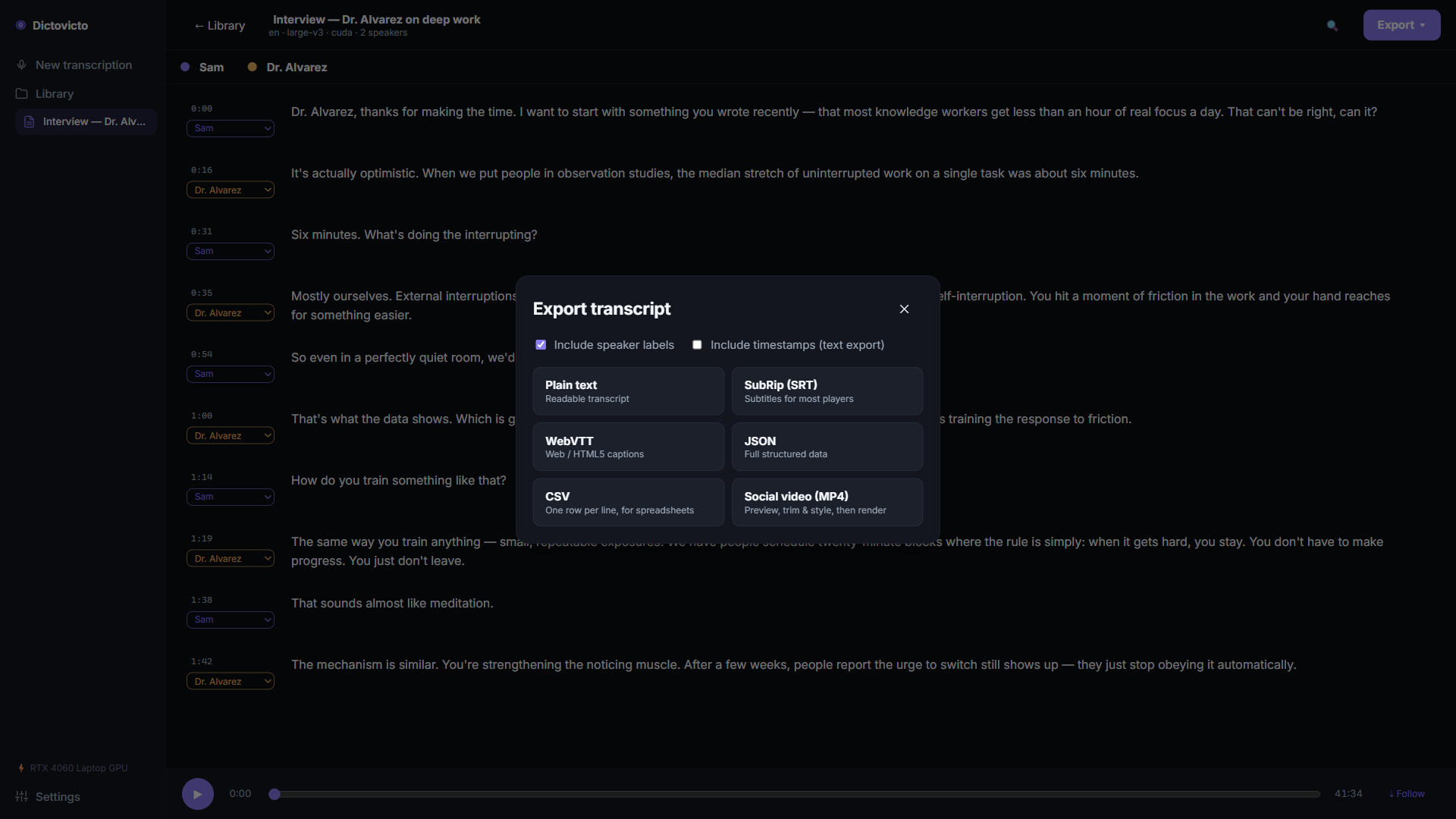
Leave in whatever format you need
- Plain text — for notes, docs, and pasting anywhere
- SRT & WebVTT — subtitles ready for any video platform
- JSON & CSV — structured segments for your own tooling
- Social video — an MP4 with animated captions, rendered locally like everything else
Privacy
Your voice is yours. We built the app around that.
Audio, transcripts, and speaker data are processed and stored on your device — full stop. DictoVicto makes exactly one network call: verifying your Microsoft Store license, which Windows usually answers from its local cache anyway. There is no telemetry, no crash reporting, no analytics, and no account. We can't read your transcripts, and neither can anyone we could theoretically sell them to.
The editor
Built for the cleanup pass
Transcription models are good; they're not perfect. The editor makes the last 5% painless — click a segment to hear it, fix the words, move on.
FAQ
Fair questions
Why is the download so big?
About 4.5 GB, and it's all AI models. Cloud transcription apps are small because the heavy lifting happens on their servers — with your audio. DictoVicto ships the entire model set inside the package so the heavy lifting happens on your PC, with nobody's audio going anywhere.
Do I need a GPU?
No. Any modern CPU works; transcription just takes longer. If you have an NVIDIA GPU, the app detects it and uses it automatically — no drivers to hunt down, no settings to flip.
What languages does it support?
The bundled Whisper models are multilingual, with English getting the most polish. Accuracy on other languages tracks the underlying model's strengths.
Can it transcribe files I recorded elsewhere?
Yes — point it at an existing audio file and it goes through the same pipeline: transcription, speaker labels, editor, exports.
How do you make money without my data?
The old-fashioned way: you buy the app once on the Microsoft Store. That's the entire business model, which is why there's nothing in the app that needs to know anything about you.
Where is my data stored, exactly?
In your Windows user profile's app data folder, as ordinary files you can back up, copy, or delete. Uninstalling the app doesn't secretly leave anything behind on someone else's server, because nothing was ever on one.
Stop renting your own words back.
One purchase, every model included, nothing leaves your PC.